
Real-time drive telemetry sentinel with <0.1% CPU consumption.
DiskUni's Live Drive Sentinel is a zero-footprint background monitor engineered for hardware enthusiasts, developers, and power users. Operating at less than 15 MB of RAM and below 0.1% CPU usage, it tracks real-time SSD temperature fluctuations, Total Bytes Written (TBW) endurance milestones, S.M.A.R.T. degradation parameters, and sudden abnormal disk consumption spikes.
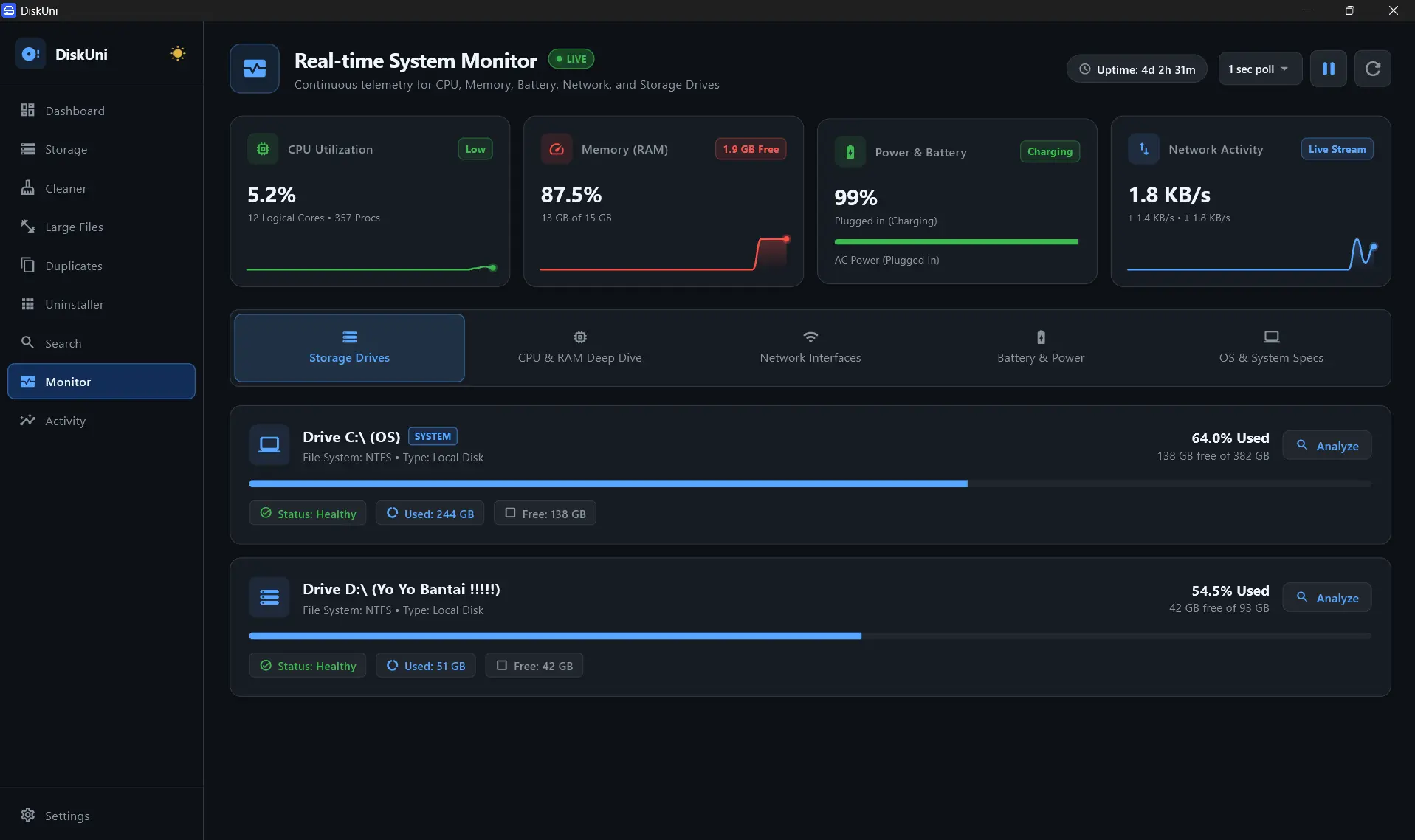
Ultra-lightweight native C/Rust telemetry thread
Monitors temperature, reallocated sectors, and TBW endurance
Notifies if a background process writes >5 GB in under 10 minutes
Live temperature and free space gauge in your taskbar
Thermal Throttling Early Warning
Tracks NVMe controller temperatures and alerts you before thermal throttling degrades read/write performance.
SSD TBW Wear Endurance Tracking
Calculates cumulative Total Bytes Written against manufacturer endurance limits to project remaining drive lifespan.
Runaway Write Spike Detection
Catches rogue background processes, leaking loggers, or infinite recording loops before they exhaust your drive space.
RAM & Swap Memory Pressure HUD
Monitors system pagefile/swap growth and physical memory utilization with real-time graph overlays.
Hardware Sensor Integration
DiskUni attaches to your drive controller's native S.M.A.R.T. and thermal interfaces on launch.
Continuous Health Evaluation
Monitors reallocated sectors, bad blocks, temperature thresholds, and free space buffers.
Intelligent Proactive Alerts
Receive timely, non-intrusive notifications when health metrics drop or write spikes are detected.
Open Sentinel Telemetry
Jump directly to the live S.M.A.R.T. health and temperature graph view.
Configure Alert Triggers
Customize temperature warning thresholds and write-spike sensitivities.
Does the Drive Sentinel drain laptop battery life?
No. The Sentinel is engineered to consume less than 0.1% CPU and goes to sleep during idle periods, ensuring zero perceptible impact on battery longevity.
How does the Runaway Write Spike detection work?
DiskUni continuously tracks write deltas. If a rogue process writes more than a configurable threshold (e.g. 5 GB in 10 minutes), DiskUni alerts you with the exact process ID and file path.
Can I minimize DiskUni to the Windows System Tray / macOS Menu Bar?
Yes! DiskUni can sit discreetly in your taskbar with a subtle live gauge showing temperature and free storage.
Reclaim your drive's storage in seconds.
No subscriptions. No cloud uploads. Just a lightning-fast native tool that draws your drive to scale and clears the bloat safely.