
Full historical audit log and instant 1-click restore.
DiskUni's Activity module gives you 100% peace of mind. Every single cleanup action, cache purge, or duplicate hardlinking event is recorded in a cryptographically validated, local SQLite audit journal. Staged files can be restored with a single click, and comprehensive analytics charts show your cumulative space reclaimed over days, months, and years.
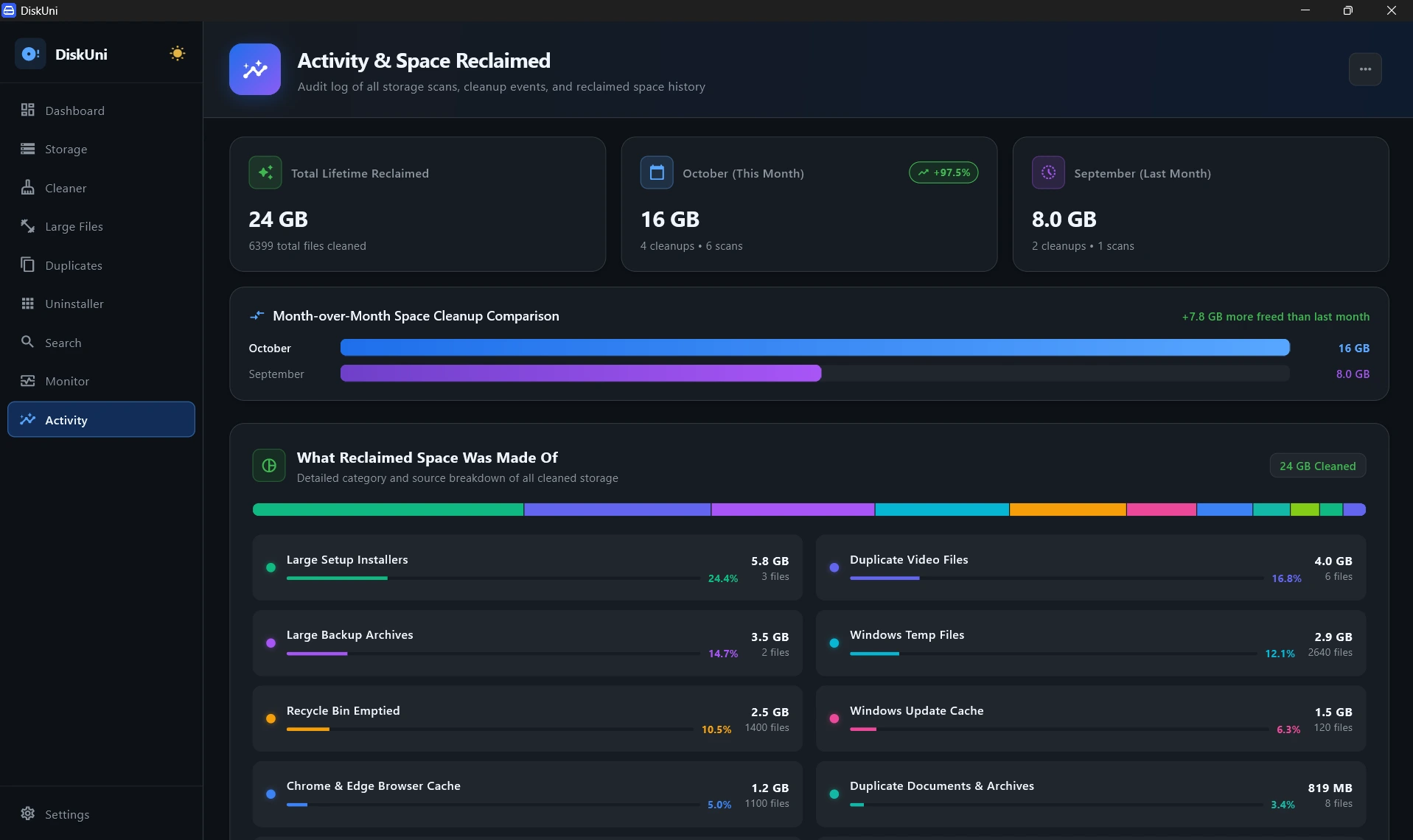
100% private on-device audit logs with 0 cloud sync
Reverses cleanups and restores quarantined files instantly
Auto-purges quarantine pools on your defined schedule
Export audit trails for IT compliance and machine records
Cryptographic Audit Ledger
Maintains a transparent, timestamped record of every file path, byte size, and action executed in DiskUni.
1-Click Snapshot Undo
Made a mistake? Click 'Undo Checkpoint' to instantly restore purged files from the local safe staging pool.
Historical Reclaimed Analytics
Interactive visual charts illustrate storage savings over time, broken down by module (Dev Purge, Junk Cleaner, Duplicates).
Compliance & Report Export
Export full audit summaries to CSV or JSON for compliance tracking or enterprise fleet auditing.
Automatic Action Logging
Whenever you run a cleaner, dev purge, or deduplication task, DiskUni records the transaction to the local audit ledger.
Inspect Staging & Logs
Review exact files altered, byte counts reclaimed, and staging retention timers in the Activity Cockpit.
1-Click Rollback When Needed
Click 'Restore Snapshot' at any time to seamlessly recover quarantined files back to their exact original directories.
Undo Last Action
Instantly trigger a rollback for the most recent cleanup operation.
Export Audit Log to CSV
Export your complete disk maintenance and purge history in one keystroke.
How long are files kept in the Safe Staging quarantine pool?
By default, staged files are held in compressed quarantine for 7 days before automated cleanup, but you can configure this from 24 hours to 90 days in settings.
Does the Activity audit journal send data to any remote server?
No. The audit journal is stored strictly on your local disk in an encrypted SQLite database. DiskUni has zero telemetry or remote analytics.
Can I export my disk savings history for company expense reporting?
Yes! You can export clean CSV and JSON reports summarizing total storage reclaimed and maintenance timestamps.
Reclaim your drive's storage in seconds.
No subscriptions. No cloud uploads. Just a lightning-fast native tool that draws your drive to scale and clears the bloat safely.